
How to Organize Content Hierarchy on Your Website for SEO and AI Search
Messy pages confuse visitors, Google and AI tools. Learn how to organize your content hierarchy across your site, pages and headings, step by step.

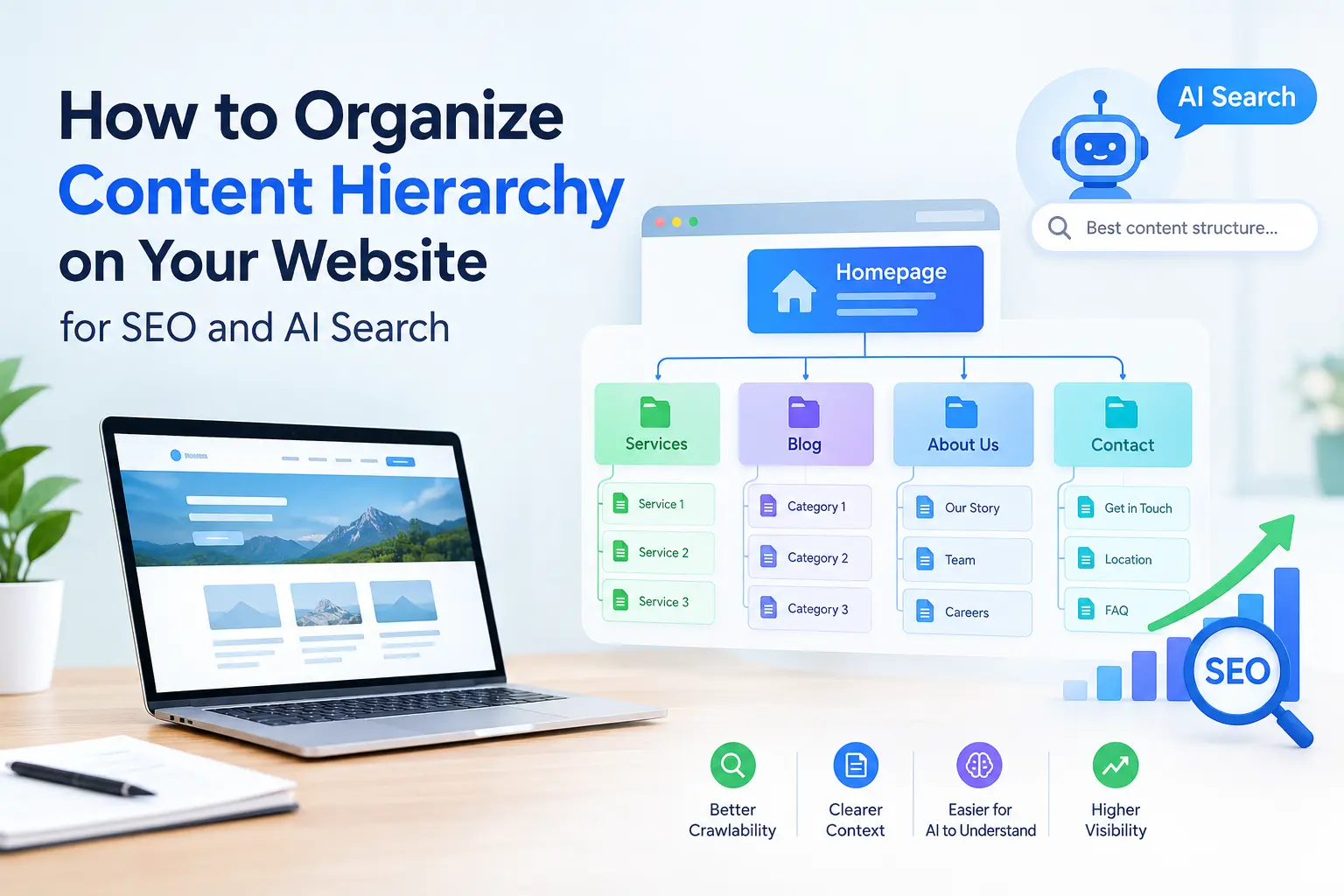
A visitor lands on your page with one question: “Can this company help me?” If the answer is buried under vague headings, long paragraphs and image banners, they leave. Search engines and AI tools have the same problem. They also need to work out what a page is about, which part answers which question and how it connects to the rest of your site.
That is what content hierarchy solves. This guide shows you how to organize it at three levels: your whole site, each page and each heading.
What is content hierarchy and how do you organize it?
Content hierarchy is the order in which you arrange information so that the most important ideas come first and supporting details follow in a logical structure. To organize content hierarchy, group your site into main topics and sub-topics, give every page one clear purpose, put the direct answer at the top, use headings that describe the content beneath them, and link related pages together. Done well, it helps visitors find answers quickly and helps search engines and AI tools understand and reuse your content.
Why content hierarchy matters
For visitors. People scan before they read. A clear order helps them decide in seconds whether to continue or call.
For Google. Headings, internal links and logical structure help search engines understand what each page covers and how pages relate to each other.
For AI answers. AI features and assistants pull short passages from pages. Clear sections, direct answers and descriptive headings make your content easier to find and quote accurately.
For your sales. A page with a clear path from question to answer to next step turns more visits into enquiries.
The three levels of content hierarchy
Level | What you organize | Question it answers |
|---|---|---|
Site | Topics, pages, URLs, links | Where does this page fit? |
Page Section | Order of information Headings and text | What should I read first? What is this part about? |
Most websites get the middle level partly right and the other two wrong. Fix all three.
Level 1: Organize your site structure
Group your pages into a simple tree: one broad topic, then the services under it, then the supporting content under each service.
Example: how an IT company can structure its IT support topic
Layer | Example page | Role |
|---|---|---|
Pillar Supporting guides Comparisons | IT AMC Services in Dubai What Is IT AMC? IT AMC vs Managed IT | The main page for the topic Answers beginner questions Helps people decide |
Cost Local | IT Support Cost in Dubai Areas We Serve | Answers the price question Shows where you work |
Each supporting page links up to the pillar page, and the pillar links down to each supporting page. This is often called a hub-and-spoke or topic cluster structure. It shows search engines that your site covers a topic in depth, and it gives visitors a natural next step.
Rules for site structure
- One topic, one main page. If two pages target the same keyword, they compete. Merge them or give each a clearly different purpose.
- Keep important pages close to the homepage. Ideally no more than 3 clicks away.
- Name navigation items by what people search for. “IT AMC” beats “Our Difference”.
- Use a logical URL structure. Short, lowercase, readable URLs that reflect the topic, such as
/it-amc-services-dubai, and keep them stable once published. - Avoid orphan pages. Every page should be linked from at least one other relevant page.
Level 2: Organize each page
Plan the order of information before you think about design. A strong service or guide page follows the order a customer thinks in.
Order | Section | Purpose |
|---|---|---|
1 2 3 4 | Answer summary What’s included Who it suits Price factors | What it is and who it’s for, in 2 to 3 sentences Scope, plus important exclusions Helps visitors qualify themselves What changes the cost |
5 6 7 8 | How it works Proof FAQs Next step | Process and typical timing Examples, reviews, results Remaining questions Quote, call or booking |
Put the answer first. Open with a direct answer of 40 to 60 words, then add detail. This is what visitors want, and what answer engines are most likely to lift.
Place a call to action early and again at the end. One near the top for people who already know what they want, and one after the FAQs for those who needed convincing.
Keep related details together. If availability depends on location or size, say so next to the service description, not in a footer.
Keep key information as text. Images can support your message, but the essential explanation should be readable text that search engines can read.
Level 3: Organize your headings
Headings are the skeleton of your page. Think of them as an outline someone could read without the body text and still understand the topic.
The basic structure
Tag | Use it for | Example |
|---|---|---|
H1 H2 | The page’s main title Main sections | “IT AMC Services in Dubai” “What Does an IT AMC Cover?” |
H3 H4 | Sub-points inside a section Rarely needed, finer detail | “Remote Support” Specific items |
Heading rules that work
- Use one clear H1 per page that states the topic. It’s a widely used best practice that keeps the page easy to understand.
- Don’t skip levels. Go H2 then H3, not H2 then H4.
- Make headings descriptive. A reader should know what’s under each one.
- Put the key words first. “IT Support Cost in Dubai” works better than “Understanding What You Might Pay”.
- Phrase some headings as the question people ask. “How Much Does IT Support Cost?” matches how people search and speak.
- Don’t use headings for styling. If you only want larger text, use formatting, not an H2.
- Don’t stuff keywords. Each heading should read naturally.
Weak vs strong headings
Weak | Strong |
|---|---|
Our Difference Things to Consider Overview Benefits | What Is Included in Our IT AMC 5 Questions to Ask Before Signing How Outsourced IT Support Works How Much Can You Save? |
Blog post hierarchy: a template you can reuse
Every blog post can follow the same pattern.
- H1: the title, with the target keyword near the front
- Short answer: 40 to 60 words directly under the title
- H2: Why it matters (context)
- H2: The main sections (steps, types, options), with H3s inside
- H2: Comparison, cost or example (a short table or a worked example)
- H2: Common mistakes
- H2: FAQs (4 to 8 real questions with short answers)
- H2: Next step, with links to the matching service page
Using one template across all posts makes your site feel consistent and makes new posts quicker to write.
Use links to show how pages connect
Hierarchy isn’t only about headings. Links show which pages matter and how they relate.
- Link from every post to its pillar page, using descriptive anchor text such as “IT AMC services in Dubai” instead of “click here”.
- Link from the pillar page down to its supporting posts.
- Link sideways to related posts, such as a cost guide from a comparison article.
- Use breadcrumbs (Home > IT Support > Cost Guide) so visitors and search engines see the path.
- Don’t over-link. A few relevant links beat a long list.
Make your hierarchy easy for AI tools to use
AI search tools and assistants pick short, self-contained chunks of content. Help them:
- Start each section with a direct sentence that answers its heading.
- Use short tables and lists for comparisons, steps and requirements.
- Add an FAQ block with short, standalone answers.
- Name things clearly (your company, services and areas) in plain text.
- Show a visible “last updated” date and keep facts current.
- Back claims with specifics such as numbers, timelines and examples instead of broad statements like “high quality”.
Google’s own guidance on AI search features points back to the same basics: helpful, original content that is easy to follow. There’s no secret trick, only clearer writing and structure.
Organizing content hierarchy for a Dubai business
- Plan your service-area pages carefully. One strong “Areas We Serve” hub with a short section per area is better than many near-identical pages that only swap the area name.
- Decide early if you need Arabic. A bilingual site needs its own hierarchy in each language, with matching structure and correct right-to-left layout, so plan it at the start.
- Put trust details where decisions happen, such as response times, service areas and contact options near the top of service pages.
- Keep pricing information easy to find, since cost is one of the first questions Dubai buyers ask.
A 7-step method to reorganize your site
- List every page (your sitemap is a good start).
- Group pages by topic. Pick one pillar page per topic.
- Spot overlaps. Mark pages that target the same keyword, then merge or redirect them.
- Rewrite titles and H1s so each page has one clear purpose.
- Re-order each page using the 8-part order above.
- Fix the headings. Check levels, wording and keyword placement.
- Add internal links between pillar and supporting pages, then recheck mobile layout and the contact path.
Content hierarchy checklist
- Each page has one clear topic and one main keyword
- The answer appears in the first paragraph
- The page has a single, descriptive H1
- H2 and H3 headings follow a logical outline without skipping levels
- Headings describe the text beneath them
- Important information is readable text, not only images
- Every page links to its pillar page and to related pages
- URLs are short, readable and consistent
- The page includes an FAQ and a clear next step
- The page works well on mobile and shows a “last updated” date
8 common mistakes to avoid
- Several pages for the same keyword. They compete and weaken each other.
- Vague headings like “Welcome” or “Our Difference”.
- Skipped or messy heading levels.
- Using headings for design, not meaning.
- Hiding important details in images or sliders.
- Burying the answer under a long introduction.
- Orphan pages with no internal links.
- Never updating. Old dates and outdated facts reduce trust.
Need help organizing your website?
If your pages overlap, your headings are vague or your best service page is hard to find, a structure review can fix it. Tell us about your website and we’ll point out the biggest problems first. Call +971 54 328 2042 or request a free quote. We reply within 2 hours on business days.
Related reading: Affordable Web Development Services in Dubai and IT Support Cost in Dubai.
How we can help with this

About the publisher
Byteflow Information Technology
Written by Byteflow SEO Team and published by Byteflow, an IT solutions provider serving 574 businesses across Dubai and the UAE since 2017 with IT AMC support, cyber security, cloud services and system integration.
Have an IT problem you need solved?
Reading about it is one thing. Getting it fixed is another. Our team responds within 2 hours.
Keep reading
Related articles



FAQs
Frequently asked questions
What does it mean to organize content hierarchy?
It means arranging your information so the most important points come first and details follow in a clear order, across your site structure, each page’s layout and its headings.
Is content hierarchy the same as heading structure?
No. Heading structure (H1, H2, H3) is one part. Content hierarchy also covers your site structure, page order, URLs and internal links.
Does content hierarchy help SEO?
Yes. A clear structure helps search engines understand your pages and how they relate, and it helps visitors find answers, which supports engagement. It doesn’t guarantee rankings, because results also depend on content quality, competition and authority.
Does content hierarchy matter for AI search?
Yes. AI tools extract short passages, so clear headings, direct answers, tables and FAQs make your content easier to find and quote. Google’s guidance says AI search follows the same fundamentals as regular search.
What is a pillar page?
A pillar page is the main page on a broad topic. It links to supporting pages that cover sub-topics in detail, and those pages link back to it.
How often should I review my content hierarchy?
Review it whenever you add new services or a batch of new pages, and do a full check at least once a year.
Can Byteflow help organize my website’s content?
Yes. Byteflow offers digital marketing and website development for Dubai businesses, including site structure, page layout, SEO content and internal linking.